


Publish and use a knowledge base
Create a knowledge base, publish document drafts, check indexing and retrieval, and use authorized knowledge in work.
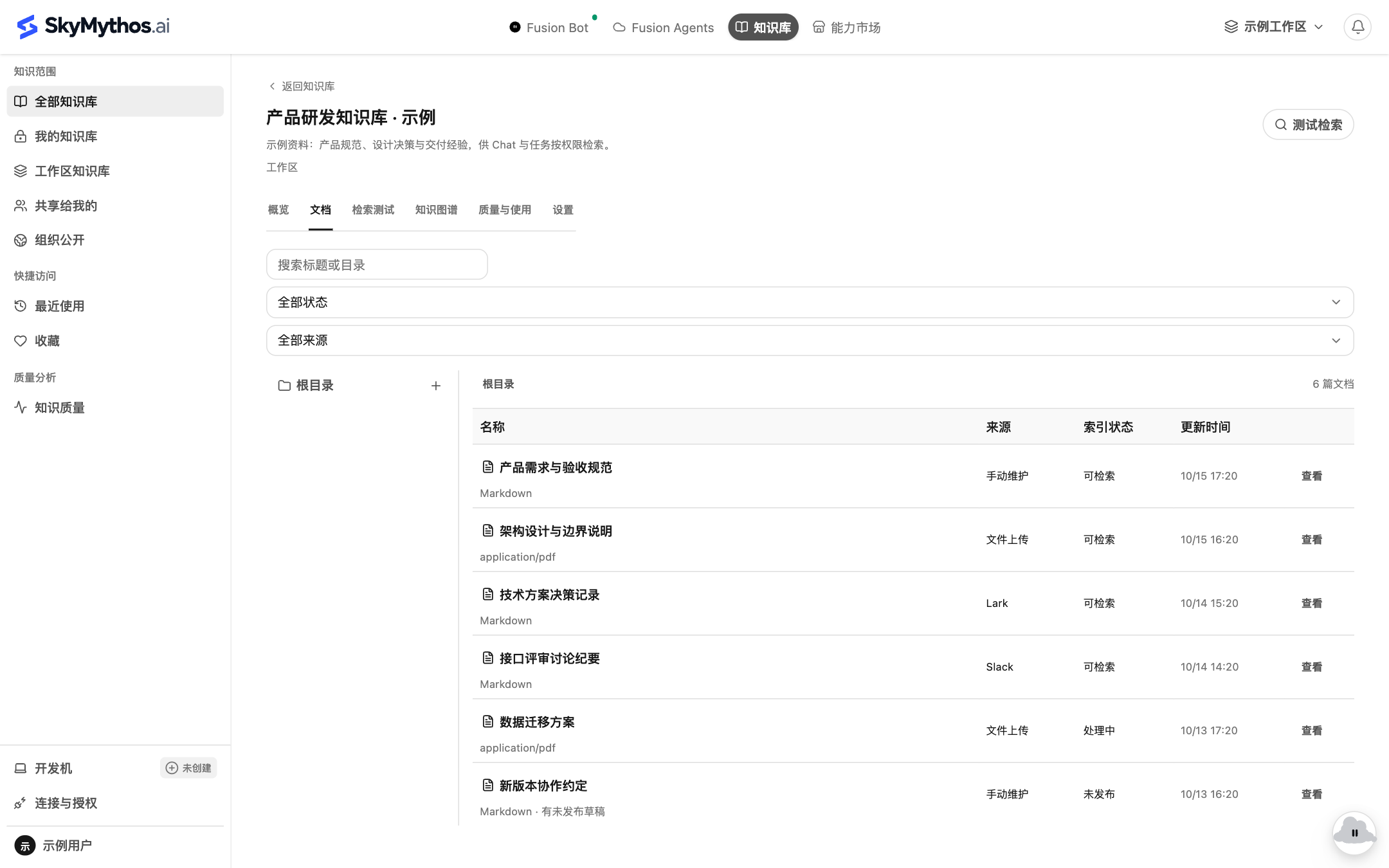
Choose Knowledge in the top navigation. Browse My knowledge, Workspace knowledge, Shared with me or Organization public. Actual access permissions determine what you can read.
1. Choose the access scope
With maintenance permission, click New knowledge base, enter a name and summary, then select visibility. Start with personal material and grant or share access as collaboration requires.
Use a name that explains the purpose, such as “Release review handbook.”
2. Create or import documents
Open the base and use its directory actions to create or upload documents. State facts, methods, applicability and sources clearly. Follow the source-specific maintenance method for externally synchronized documents.
Save edits as a draft. Unpublished changes do not replace the formal version available to shared readers.
3. Publish a document
In document detail, choose Release new version, confirm the content, and check parsing and indexing status.
Documents publish independently. There is no single knowledge-base release covering all documents. Expect retrieval only when a document has an effective, available version.
4. Test retrieval
Choose Test retrieval in the base and ask a specific question the document should answer. Inspect matched documents, excerpts and sources, rather than judging only whether a response sounds fluent.
If there is no match, check publication, indexing, access and query relevance. Version record, Retrieved snippets and Sources and Properties help diagnose the result.
5. Use it in work
When creating a task, choose authorized material through Add source → Knowledge. Runtime reads still respect current access; selecting a base once does not grant permanent access.
After editing, check the new publication and index results. Restoring a historical version creates a new draft; it does not erase history or publish automatically.
Knowledge bases hold shared documents. Maintain personal preferences, employee instructions and learned experience through employee memory and experience.