


Train and hire digital employees
Train from everyday work or hire a published role, then inspect work records, memory and experience.
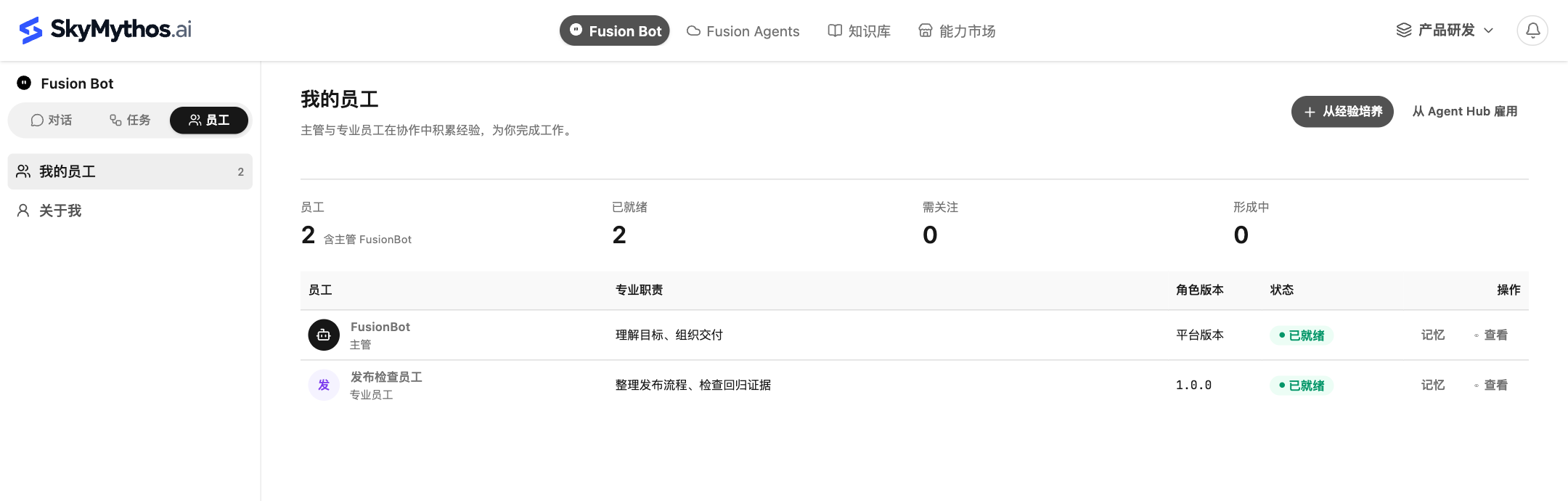
Choose Fusion Bot in the top navigation, then Staff in its sidebar. The directory brings identity, responsibilities, role version and current status together so you can see who is ready for more work.
Train from your work
- Accumulate accessible sources through everyday conversations, tasks and collaboration.
- In My employees, click Train from experience.
- Enter a Training goal, such as developing a release-review employee from release-check experience.
- Click Start training and review progress, source coverage, outputs and gaps.
- Add sources or validation as requested, then use the outputs that have actually completed.
Training runs asynchronously; returning to Chat does not stop it. Waiting for sources, awaiting validation, partial completion and completion have different meanings. An accepted request is not a ready employee.
Hire from Agent Hub
Click Hire from Agent Hub in Staff, or open a published role from Marketplace → Agent Hub.
- Read responsibilities, methods, execution configuration and version.
- Click Hire employee.
- Confirm the fixed role version, optionally name your employee, and confirm hiring.
- Open employee detail and check readiness and dependency preparation.
The role is a reusable definition. Hiring creates an employee identity belonging to the current member. A later role release does not silently replace the employee's pinned version.
Delegate the next job
When an employee is ready, click Start collaborating in its detail. The new session is bound to that employee. State the new goal and review the result.
If the button is disabled, read the status and dependency reasons. Appearing in the directory does not establish that models, endpoints and tool authorization are ready.
Review accumulated experience
Work record shows participated work and links to available results.
Memory and experience separates your instructions from learned experience. Filter by scope and status, then inspect sources, content and validation. Use Correct for inaccurate experience and Exclude for experience that should no longer apply. Associated Skills have a separate entry.
Employee experience is separate from shared knowledge. Complete chat history does not automatically become long-term memory. Put documents the team should maintain, publish and share in a knowledge base.