


Connect services and MCP tools
Manage personal authorisation, connect MCP services, and inspect execution environments and tool scope.
Marketplace holds reusable capabilities. Connections & access manages your access to services. Being able to see an MCP asset does not grant access to every tool it exposes.
Manage connections in one place
Open Connections & access → All connectors at the bottom of the sidebar. Search by name or filter by type, then select Git, a model service, an enterprise service or MCP to inspect its details.
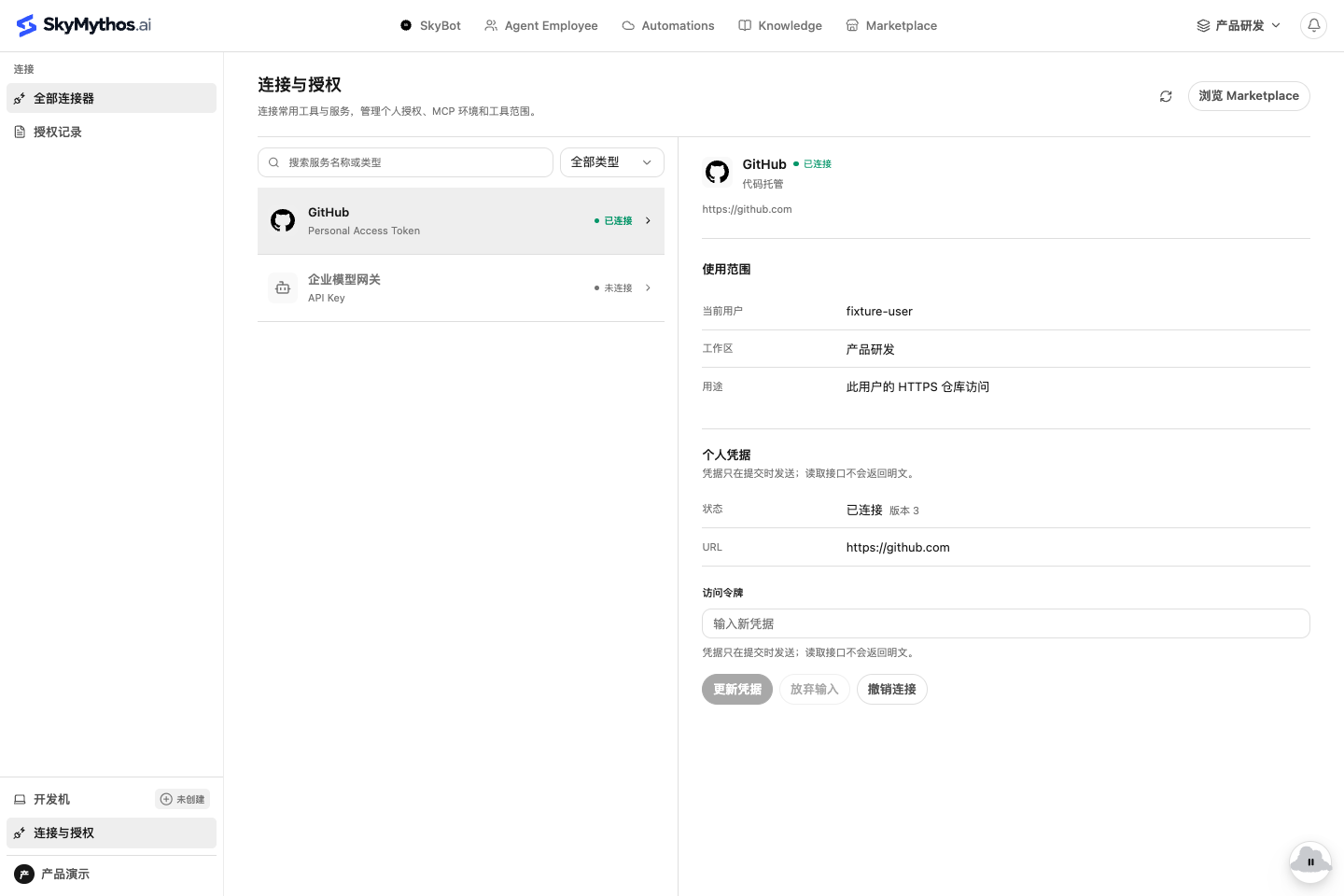
Check the current user, workspace and service address before entering credentials. The interface distinguishes connected, disconnected and reauthorisation states. Failed saves retain input so you can fix the cause and retry. Configuring a shared Agent does not share your personal keys with other members.
Authorisation records shows connection state and revision records. It is not a durable audit log of every tool invocation.
Connect MCP from the Marketplace
- Open Marketplace → MCP and select an accessible service. Review its source, transport and required parameters.
- Configure personal authorisation or environment parameters. OAuth, API keys and services without authentication have different setup requirements.
- Inspect the execution environment and available tools in connection details. Set your personal tool scope as needed.
- Use the capability in an Agent or Workflow and perform a non-destructive real call to verify credentials, network access and tool behaviour.
MCP Gateway supports remote Streamable HTTP, SSE and local stdio. A stdio service needs an appropriate execution environment and command configuration. A catalog entry does not prove the service is running or reachable.
Official tools still enforce access
Platform-owned business MCPs are available through the Marketplace for Agents, Flows and conversations. Their official releases are code-owned and cannot be overwritten by users.
Calls still check the current user, workspace, execution environment and referenced release. Initial cross-context knowledge tools expose workspace documents, not private memory, and do not bypass existing access controls.
When a connection fails
- Missing service: check its personal, workspace or public scope and your selected workspace.
- Authorisation required: configure credentials for your account. Another member’s connected state is not your permission.
- Unavailable tools: inspect personal tool scope, service configuration and runtime environment. Rediscover tools if needed.
- Failed invocation: distinguish expired credentials, network or protocol incompatibility, and service errors. A successful save proves configuration was accepted, not that a call succeeded.
Next, create an Agent and reuse it in a Workflow, or follow deployment and connection checks to validate the real integration.